
I had an idea for a small app: a simple translation editor that can also connect to MT (machine translation) and AI. By Monday it was running on my laptop.
With every new model, I check how good it is. I like to test it on different tasks.
This time Opus 5.5 did a great job. We planned the whole app together. Then I went to enjoy a wine festival in Prague while Claude kept working.

The app
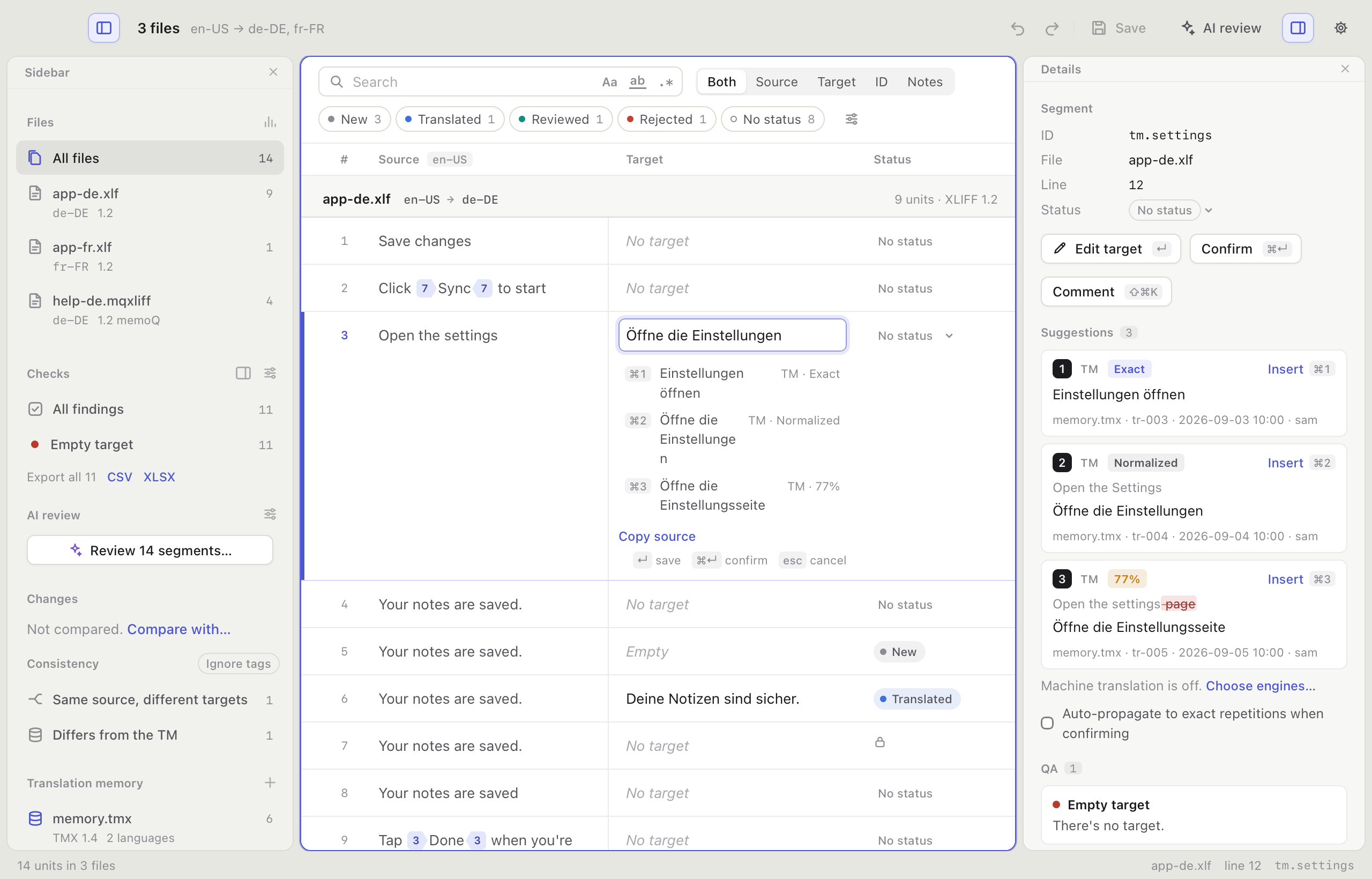
The idea behind it was simple. What if we had a super fast local app that could handle big files and also connect to machine translation and AI? I’m not a big fan of keeping production files locally, but sometimes you have to review something locally or edit a huge file.
After one weekend, here’s what the app can do today:
open XLIFF and TMX files (the bilingual files translators work with), and TBX glossaries for reference.
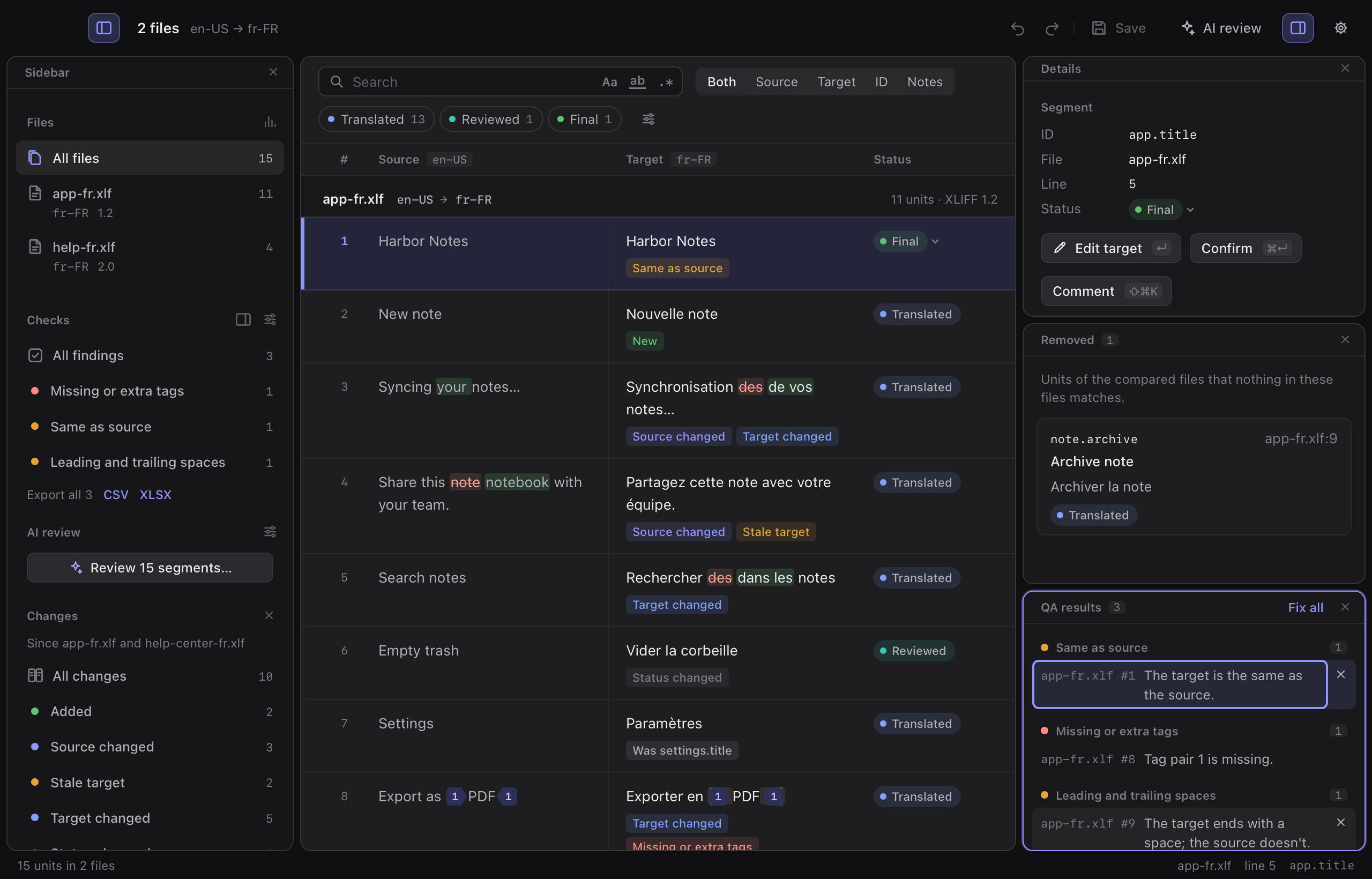
One XLIFF with 1 million segments opens in about 2 seconds. A big XLIFF and TMX together in about 10 seconds. Search is fast too!run 30+ deterministic checks: missing tags, numbers, extra spaces, target same as source and so on
spellcheck
compare an old and an updated file to see the changes
show matches from translation memories, machine translation and a glossary
AI review - you can use an API key or your own Claude Code or Codex subscription
you don’t need a mouse. Everything works with keyboard shortcuts
All panels are resizable and you can move them around, so the app looks exactly the way you like to work
How I worked with it
I sent around 40 messages. A lot of them were short.
We started with planning. It asked questions and I answered. When the plan was ready, I approved it and Claude started working. I gave it time frames: 2 hours, 6 hours, one night. Every run ended with a report, and I tested the app in between.
In total Claude worked about 30 hours. The longest run without me was almost 7 hours. It used about 13 million tokens and read 1.3 billion from cache, all on my Claude subscription.
My part was knowing which features are actually needed. Things like “Fix all tags” (the formatting codes inside the text) in one click, or an inconsistency check across several files.
What I think about Opus 5.5
It’s just great. Sure, there were some bugs, and some things didn’t work as well as I thought, so I had to change the idea along the way. But overall I’m very happy with the results.
Opus 5.5 really feels like a model that’s good enough on its own, and you don’t need any other. It can create different things from scratch, and improve things it couldn’t before.
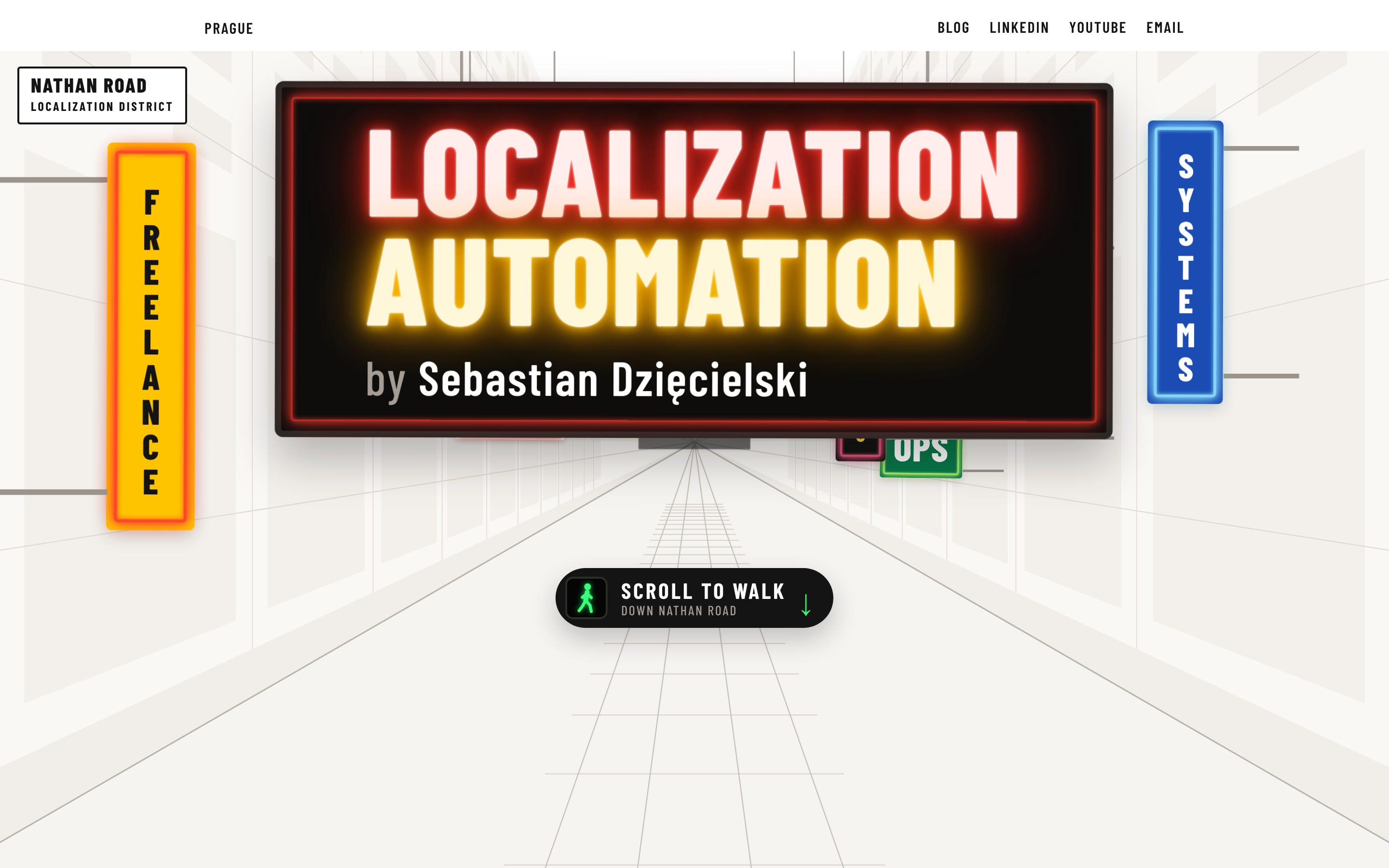
Claude also redesigned my website
On Monday I also asked if it could redesign my website. A few rounds later I picked a design I liked, and now it's live at sebastiandziecielski.com.
What’s next
More experiments. :) What I’m testing next:
more Opus 5.5, starting with workflows in the app: one key that runs pre-translate, checks, AI review and save
Hermes Agent. I’ve started running it on a small server, where a cheap model does a few jobs for me already. It’s a long-term project for sure
some local models. Can a smaller model give similar quality to bigger models like Claude? We will see
I’ll share what I find here.
If you want a second pair of eyes on your setup, or want me to test something like this on your files: hello@sebastiandziecielski.com